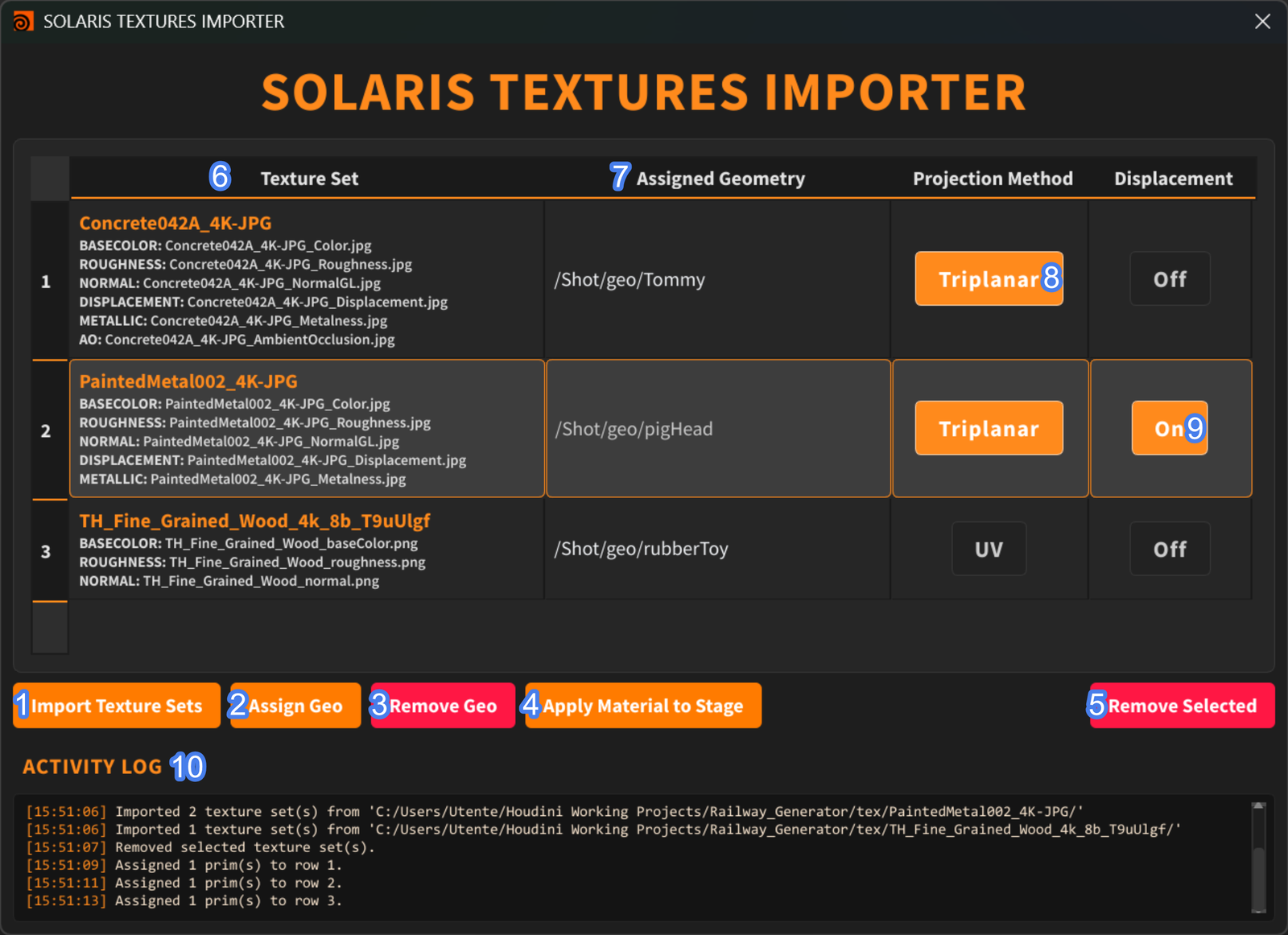
Solaris Textures Importer
From a folder of PBR textures to a fully wired, assigned material in a few clicks. The tool recognises every map, builds the complete material network in Solaris and assigns it to the prims you choose.
Less clicking, more lookdev.
Manual material setup is slow
Every texture set means creating nodes by hand, loading each map, connecting it to the right input, setting colour spaces and finally assigning the material to the right prims. Multiply that by dozens of assets and it eats hours.
One panel, one button
Pick one or more texture folders, choose the prims, set a few options and press build. The importer detects the map types, generates the full shader network and handles the assignment — with a log that flags anything wrong in red.
What it does
Multiple texture sets
Load one or many texture-set folders at once.
Automatic map detection
Recognises the PBR maps in each folder and wires them to the right inputs.
Flexible prim selection
Pick prims from the Scene Graph Tree or drag & drop them; assign many prims to one set.
Edit as you go
Remove prims or texture sets from the list before building.
Create & assign shaders
Builds the material network and assigns it in a single step.
UV or Triplanar
Choose the projection per material.
Displacement toggle
Enable or disable displacement when the map is available.
Readable log
Every step is logged, with errors highlighted in red.
Four steps to a material
Select folders
Point the tool at one or more PBR texture-set folders.
Pick prims
From the Scene Graph Tree or by drag & drop.
Set options
Projection type, displacement on or off.
Build
Network created, material assigned, log checked.