Auto Camera Framer
Frames any asset perfectly in camera — whatever its size or aspect ratio — and builds a complete lookdev setup around it, so you can start judging materials straight away.
Framed, lit, ready to judge.
Every asset needs its own camera
Turntables and lookdev renders need a camera that frames the asset properly. Doing it by hand for assets of different sizes and proportions is slow, inconsistent and easy to get wrong.
Automatic framing + lookdev kit
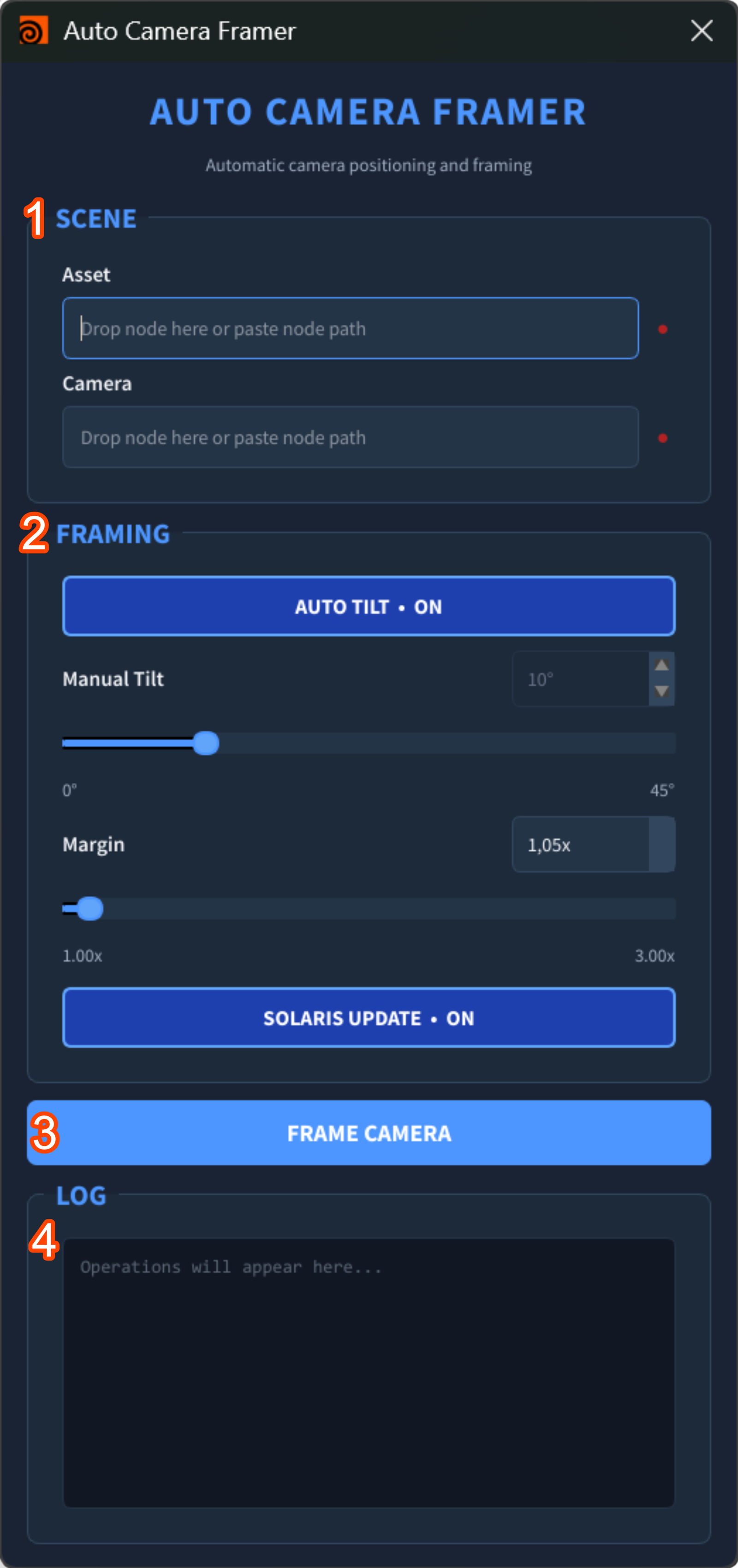
Paste the asset and camera paths and press one button: the tool fits the asset inside the camera bounds and generates a lookdev setup with chrome ball, grey ball, Macbeth chart and cyclorama.
What it does
Any size, any aspect
Centres and fits the asset inside the camera frame automatically.
Path validation
Status LEDs turn green when the asset and camera prims are valid.
Auto or manual tilt
Let the tool choose the tilt, or set the angle yourself.
Margin control
Padding parameter to give the asset room to breathe.
Chrome & grey balls
Reference spheres for reflections and lighting.
Macbeth chart
Colour reference placed in shot.
Cyclorama
Seamless backdrop generated around the asset.
Readable log
Shows errors and the camera values that were chosen.
Four steps to a lookdev shot
Paste paths
Asset and camera prim paths — the LEDs confirm they are valid.
Set the tilt
Auto Tilt, or a manual angle.
Set the margin
How much space around the asset.
Build
Camera framed, lookdev kit created, values logged.